Authenticator
mattrubin.me/authenticator iOS
Simple, native, open source 2-FA Client for iOS, which never connects to the internet - built by @mattrubin.me
- Homepage: mattrubin.me/authenticator
- GitHub: github.com/mattrubin/Authenticator
- iOS App: apps.apple.com/us/app/authenticator/id766157276
- Web info: web-check.xyz/results/mattrubin.me
Authenticator Source Code
Author
Description
Two-Factor Authentication Client for iOS
Homepage
https://mattrubin.me/authenticatorLicense
NOASSERTION
Created
28 Aug 13
Last Updated
31 Jan 26
Latest version
Primary Language
Swift
Size
60,044 KB
Stars
867
Forks
119
Watchers
867
Language Usage
Star History
Top Contributors
-
@mattrubin (2345)
-
@beaucollins (64)
-
@adhintz (7)
-
@dependabot[bot] (5)
-
@Schweinepriester (1)
-
@kruton (1)
Recent Commits
-
Merge pull request #466 from mattrubin/2026 Modernize tooling and project configuration
-
Revert versioning scheme change
-
Update Swiftlint config to be opt-out rather than opt-in
-
Delete unused imports flagged by `swiftlint analyze`
-
Prefer `XCTAssertEqual` and `XCTAssertNotEqual` over `XCTAssert` When tests fail, the more specific matchers provide better error messages.
-
Update screenshots for new screen sizes: - Update fastlane snapshot config with new devices - Remove SimulatorStatusMagic, which doesn't work as easily on newer simulators - Configure fastlane snapshot to make the status bar pretty - Annotate screenshot test case with `@MainActor` as required by the snapshot helper function A few issues I ran into: - The iOS simulator inherits the 12/24-hour time format preference from the macOS host *at the time the simulator is created* and does not expose a way to change this setting via either the Settings app or an `xcrun simctl` command. The fix was to manually run `plutil -remove AppleICUForce24HourTime ~/Library/Developer/CoreSimulator/Devices/[Simulator UUID]/data/Library/Preferences/.GlobalPreferences.plist` for each simulator before running fastlane snapshot. - There are imperceptible differences between screenshots rendered when my MBP is running on battery power vs running off a power adapter. I opted to capture screenshots when connected to power. - The (in)visibility of the home indicator at the bottom of each screenshot is flaky. Most screenshots don't include it, but I had to re-generate several of them to get them all without home indicators.
-
Upgrade project format to Xcode 16.3+
-
Use non-optional `Data(_:)` initializer to convert `String` to `Data`
-
Temporarily disable `xct_specific_matcher` SwiftLint rule
-
Fix SwiftLint build script configuration
-
Disable Liquid Glass with `UIDesignRequiresCompatibility`
-
Update to recommended Xcode project settings
-
Update fastlane snapshot helper
-
Upgrade Carthage dependencies
-
Pin Ruby version and upgrade fastlane
-
Merge pull request #407 from mattrubin/modernize Update project for modern Xcode, Swift, and iOS
-
Update copyright notice dates
-
Remove direct initialization of empty NSErrors in tests
-
Fix `UITableViewAlertForLayoutOutsideViewHierarchy` warnings in tests
-
Fix a comment typo
-
[CI] Fix collection of code coverage info
-
Merge github-actions into modernize
-
Delete Travis CI configuration
-
Configure GitHub Actions to test on more OS and device combinations
-
Configure GitHub Actions CI
-
Merge pull request #392 from mattrubin/dependabot/bundler/jmespath-1.6.1 Bump jmespath from 1.4.0 to 1.6.1
-
Update the version number (and change how build numbers are set)
-
Update screenshots Disable battery detail, since it looks busy on the modern iPhone screens
-
Update inkscape command line options, then regenerate app icons
-
Upgrade fastlane tools
Authenticator Website
Website
Redirects
Redirects to https://mattrubin.me/authenticator/
Security Checks
1 security checks failed (65 passed)
- Empty Page Content
Server Details
- IP Address 172.66.44.213
- Location San Francisco, California, United States of America, NA
- ISP CloudFlare Inc.
- ASN AS13335
Associated Countries
-
 US
US
Safety Score
Website marked as safe
100%
Blacklist Check
mattrubin.me was found on 0 blacklists
- ThreatLog
- OpenPhish
- PhishTank
- Phishing.Database
- PhishStats
- URLhaus
- RPiList Not Serious
- AntiSocial Blacklist
- PhishFeed
- NABP Not Recommended Sites
- Spam404
- CRDF
- Artists Against 419
- CERT Polska
- PetScams
- Suspicious Hosting IP
- Phishunt
- CoinBlockerLists
- MetaMask EthPhishing
- EtherScamDB
- EtherAddressLookup
- ViriBack C2 Tracker
- Bambenek Consulting
- Badbitcoin
- SecureReload Phishing List
- Fake Website Buster
- TweetFeed
- CryptoScamDB
- StopGunScams
- ThreatFox
- PhishFort
Website Preview
Authenticator iOS App
App Info
 Authenticator
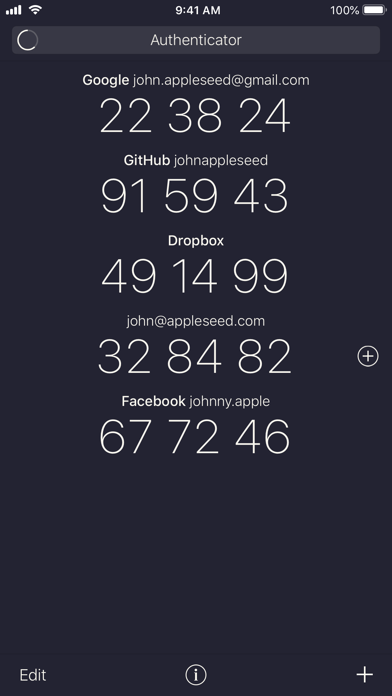
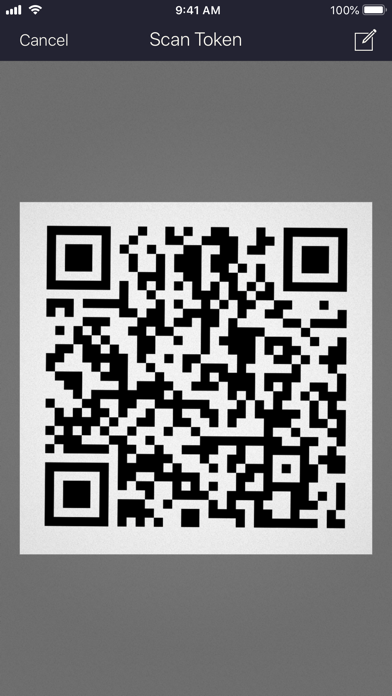
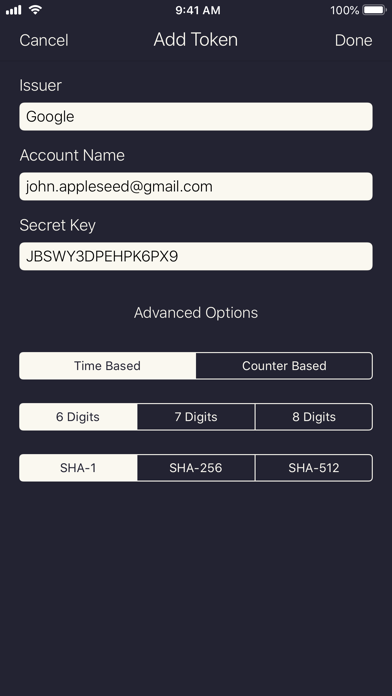
Authenticator is a simple, free, and open source two-factor authentication app. It helps keep your online accounts secure by generating unique one-time passwords, which you use in combination with your other passwords to log into supporting websites. The simple combination of the password in your head and the rotating passwords generated by the app make it much harder for anyone but you to access your accounts. • Easy: Simple setup via QR code, "otpauth://" URL, or manual entry • Secure: All data is stored in encrypted form on the iOS keychain • Compatible: Full support for time-based and counter-based one-time passwords as standardized in RFC 4226 and 6238 • Off the Grid: The app never connects to the internet, and your secret keys never leave your device.
Rating
Version Info
- Current Version 2.1.2
- Last Updated 01 Jun 19
- First Released 03 Dec 13
- Minimum iOS Version 9.0
- Device Models Supported 121
App Details
- IPA Size 16.13 Mb
- Price Free (USD)
- Age Advisory 4+
- Supported Languages 1
- Developer Matt Rubin
- Bundle ID me.mattrubin.authenticator
Screenshots
Authenticator Reviews
More 2-Factor Authentication
-
Free, secure and open source authenticator app for both iOS and Android. Supports creating encrypted backups and syncing between devices without the need for an account.
-
Free, secure and open source authenticator app for Android. Has a backup/ restore feature and a customisable UI with dark mode
-
Free and open-source two factor authentication app for Android. It features encrypted backups, icons, categories and a high level of customisation. It also has a Wear OS companion app
-
An easy-to-use, open-source two-factor authentication app designed specifically for iOS
-
Portable, encrypted desktop authenticator app for Microsoft Windows. With useful features, like hotkeys and some additional security tools, WinAuth is a great companion authenticator for desktop power-users. It's open source and well-established (since mid-2010)
-
Rust-based OTP authenticator. Has native With GNOME Shell integration. Also available through flathub.
-
-
Ente Auth is a free and open-source app which stores and generates TOTP tokens. It can be used with an online account to backup and sync your tokens across your devices (and access them via a web interface) in a secure, end-to-end encrypted fashion. It can also be used offline on a single device with no account necessary.
-
Bitwarden Authenticator is a free and open-source app which stores and generates time-based codes for multi-factor authentication. It can be used with an online account to backup and sync your tokens across your devices (and access them via a web interface) in a secure, end-to-end encrypted fashion. It can also be used offline on a single device with no account necessary.






About the Data: Authenticator
API
You can access Authenticator's data programmatically via our API.
Simply make a GET request to:
https://api.awesome-privacy.xyz/essentials/2-factor-authentication/authenticatorThe REST API is free, no-auth and CORS-enabled. To learn more, view the Swagger Docs or read the API Usage Guide.
About the Data
Beyond the user-submitted YAML you see above, we also augment each listing with additional data dynamically fetched from several sources. To learn more about where the rest of data included in this page comes from, and how it is computed, see the About the Data section of our About page.
Share Authenticator
Help your friends compare 2-Factor Authentication, and pick privacy-respecting software and services.
Share Authenticator and Awesome Privacy with your network!